|
Click to recommend this page:
| |
 Introduction
Going on vacation and looking to get some good photos while you're
having fun? Or, is photography your main objective to your travels, and
you're hoping to land a great photo of a stunning sunset in Venice, Italy?
However casual or serious you may be, choosing the right photo equipment
for travel photography is critical. This chapter discusses the many
different aspects of what you'll need for travel photography. It is by
no means a comprehensive list of camera gear you'll need in general.
Needless to say, unless you already own a film-based SLR camera, you
are well advised to start your photo buying binge on digital photo
gear. It's the 21st century; if you aren't already aware of why you
should be shooting with a digital camera, you may want to read up on other
big changes you may have missed over the past ten years. (For instance,
there was thing in the late 90s called the tech bubble. It made for some
entertaining reading.)
Here, I discuss equipment types, but I will make no specific product
recommendations. You should expect to do research on current product
offerings from resources that specialize in reviews and analysis. Top
national newspapers and other consumer periodicals have websites that
contain up-to-date columns written by reviewers who know and understand
you, the target audience. Also, internet search portals are great for
finding such resources. Contrarily, and odd though it may sound, asking
professional photographers about what camera to buy can be fraught with
problems, as they typically don't shoot with the same objectives as
you do. Nor do they tend to be familiar with the tourist mindset and
temperament. If you ask a pro what kind of camera to buy, for example,
they're likely reply with something like, "well, it depends on the
kind of pictures do you want to shoot." This is the first sign that
you're speaking to someone that hasn't been around non-professional
photographers in a long time. (In fact, I never advise people what to
buy—I only explain what things do, how they work, and most importantly,
dispel myths out there about what people think are true, but aren't.)
So, you should start by reading reviews. Once you're "informed" about
a subject, it doesn't necessarily help you decide what to buy. The next
step is to seek advice from those who are more like you. Again, here's
where internet search engines come in handy: look for discussion forums
where people discuss products. I often refer people to www.dpreview.com
and www.photo.net. Reading discussion forums is a good start for getting
a general feeling for whether particular products are considered worthwhile
from people who have no vested interest in promoting them. Again,
you need to read opinions from peers, not professionals. A pro may
have a stinging review of a product because it doesn't offer what he
needs, but it may be perfectly suitable for your needs. In light of
that, be careful reading "too much" information on discussion boards.
There is also a lot of disinformation out there as well. You're looking
for a general consensus, not the nit-picky details.
When you feel you've narrowed your choices down to the top gazillion
products from the bazillion offerings, go to a physical store and look
at them. Nothing beats holding something in your hand and putting to
the test all the advice that those reviewers and forum members had to say.
Because I happen to use Canon equipment, I will often cite the gear
I use as examples of general ideas. However, this is by no means an
endorsement of Canon as a company, or its products. In fact, most
name-brand products from well-known manufacturers can yield excellent
pictures and have many happy customers.
If you have yet to purchase your first camera, you may want
to start at What camera should I buy?.
 Camera Bodies
Canon EOS 1Ds

|
For even the most modestly interested amateur photographer, SLR cameras
will provide far more pleasing results than point-n-shoot cameras. They
provide more creative control, not to mention the advanced technology
and flexibility to open up your photo opportunities beyond the standard
"daytime snapshot." That said, I don't entirely dismiss the classic
point-n-shoot camera either. They're still quite powerful, and getting
more so every day. So, I'll be touching base with them whenever possible,
though you may find that many topics discussed cross over to either type.
It is beyond the scope of this book to act as a buying guide, but if you
are looking to purchase new equipment, it is imperative that you do so
well in advance of any travel you have planned. It's very hard to learn
new equipment on the road, and if anything goes wrong, your options are
limited.
Nothing's worse than losing battery power when you're about to take a
picture from the top of the Statue of Liberty for a rare and amazing
rainbow. And since digital cameras eat batteries faster than a golden
retriever can get toast off your baby's high-chair, it's most imperative
that you're prepared with enough juice to keep your camera going. The
best thing you can do is study your camera's manual to understand each
of the following intimately:
 What kind of batteries will it accept, and not accept?
Almost all digital cameras use rechargeable batteries, but some will
also take standard AA batteries you can buy in any store. However,
many cameras not only won't use those standard batteries, but using
them may actually ruin your camera. If you're in a pinch and need
to get emergency power, know what your alternate battery power options are.
How many pictures does the camera take on a single charge?
There are many variables involved, such as whether you use a flash (and how
much), if you're using the preview screen to edit pictures, if you use the
camera to download images from your memory card, and so on. Experience with
your camera is the only reliable test for this kind of info. Many newer
cameras have battery status monitors that will tell you how close you're
getting to requiring a recharge, so it's important that you're familiar
with this.
Does your battery charger have a power converter built in?
Granted, this is more of a problem if you travel to foreign countries
that don't use the same voltage you have at home. You may not be able to
recharge your batteries at all if your camera's power supply doesn't
have a voltage converter. A power adapter is not the same as a
converter; you need to actually convert the voltage or you'll ruin
your camera. Most low-end point-n-shoot cameras do not have power
converters like this, so when you're in foreign countries, you must
either find a compatible power source, or buy a real converter. (These
tend to be much more expensive than adapters.) As usual, read your manual
to see if this may be a problem for you.
|
Power Converters
| |
You can easily tell whether your power supply has a converter by looking
for a little "box" in the middle of the power cord. It'll say something
like "110-220v" if it has a converter built in. If not, it'll just
give a single number, like "110v" or "115v". If it doesn't even have
a cord—such as one of those boxes that plug directly into the wall,
and you have to take the battery out and place in this box—then you're
almost assuredly don't have a converter.
|
Learn how to conserve batteries
Many cameras' manuals will describe which functions eat more battery
power than others. If battery conservation is important due to travel
constraints, this information could be critical. Obvious points are
the use of the preview screen, automatic shut-off timer, the use of
the flash, etc.
Understand your travel itinerary
If you're going to be roughing it in the wild, on safari, trekking across
mountains, diving or snorkeling, or going into thin air at altitude,
prepare by buying enough batteries to last the worst-case scenario:
that you're shooting a lot. Having enough batteries to last between
times when you can recharge is good planning. Also, batteries notoriously
lose power quickly in cold weather, but they regain it back when warmed up
again. If you're going to be in the snow, have two sets of batteries that
you can swap in and out of the camera and a pocket close to your body.
Film cameras are vulnerable to weak batteries for different reasons: they
don't just "die" like digital cameras do. Instead, they tend to linger
in a state of unpredictability, often exhibiting confusing behavior that
appears to look like something else is wrong with the camera. In fact,
more unexplained malfunctions in film cameras can often be attributed
to dying batteries than other problems. (Extreme moisture from humidity
is the second most elusive problem.) Digital cameras don't have this
problem. Instead, they show you a blinking battery icon somewhere on the
confusing LCD panel, and while you're asking everyone around you what it
means the first time you see it, you suddenly figure it out by yourself
when the camera just shuts off completely. And it is then—and only
then—that you suddenly become the master photographer, because you begin
to see all sorts of award-winning photos that you can't take because
your batteries are dead. The genius phase will pass, however, usually
by the time your batteries have been recharged.
In a digital camera, the sensor is the part that captures the image
onto a media card, similarly to how film cameras capture images onto film.
Fortunately, technology has evolved to the point where even the
most mediocre digital cameras can take good photos for the casual tourist
on vacation. But there's no need to settle for cheap—you can get much
better technology without a huge incremental bump in cost. How far you
want to take this is where it gets more interesting. Your decision
will be guided by other elements to the camera (to be discussed next)
besides just the image resolution of the sensor.
Just about every camera sold today has enough resolution (measured as
"megapixels") to yield excellent photos. As you'll notice, though,
you can buy the same camera with incrementally higher pixel resolution.
Should you get a camera with more resolution than its lower-resolution
counterpart? This is a nagging question, and you'll hear advice everywhere
about how you don't "need" more resolution than, say, six or eight
megapixels, because that's enough to make good-sized prints. That's
certainly true if all you're looking at is size. But, if you're also
interested in the quality of the image, you'll want the higher-megapixel
cameras. Why? Because the technology required to make sensors yield
better, smoother pictures, also happen to yield more megapixels in the
sensor. It's like how TVs that have much, much better color rendering
will also happen to have much larger screens. There's no point in putting
advanced technology into a smaller product, whether it's TVs or camera
sensors.
There is another aspect to image sensors that's important; they come
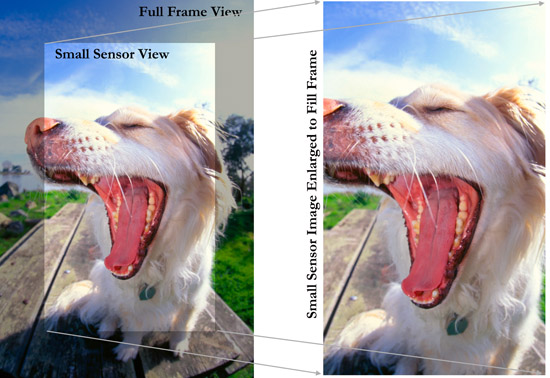
in two sizes: Small Format, and Full Frame. The latter is the
same as a standard 35mm camera, the legacy size inherited from
the days of film. By contrast, a small-format sensor is like putting
a smaller rectangle in the center of a bigger rectangle. (Some people
liken the effect to the difference between regular TV and HDTV.)
In fact, the smaller sensor is two-thirds that of a full-frame
sensor. The resulting image is like cropping off the edges of a
full-frame image. Instead of filling in that empty space with white or
black, the camera just "enlarges" the picture (by blowing up the pixels)
to yield the same sized print as before. This is what is referred to as
"the magnification factor." When people hear the term, though, they think
the image is magnified optically, when it's really just being blown up
digitally, which is a very different thing.
Digital magnification (also referred to as digital zoom) is usually
expressed using phrases like "1.6 magnification factor." This is
intended to convey a translation for lens length measurements, not
optical magnification. Using the 1.6 example, a 100mm lens will produce
a photo that looks like it was taken with a 160mm lens, a 400mm lens
looks like a 640mm lens, and a 28mm lens looks like a 35mm lens.
Although this terminology makes it sound as though the image is
"magnified," it's not—it's simply cropped and then enlarged. Why the
important distinction? Because when the enlargement is optical, you get
more pixels and you preserve the optical characteristics of the lens
(such as the fisheye effect in the sample image). When the enlargement
is digital, you actually wind up with less pixels, and a lower-quality
image. To make things worse, some cameras give you the option of zooming
in even further digitally—up to 10x in photo cameras, and 25x in video
cameras—which degrades image quality even more. The degradation of image
quality is particularly visible with telephoto lenses, whereas the degradation
of optical quality is more visible with wide-angle lenses (including the
fisheye).
Many people are already experienced the problems with small-format sensors
and wide-angle shots, so most camera manufacturers have had to introduce
special wide-angle lenses made for small-format sensors, some of which go
down to 10mm (to yield an equivalent 16mm shot). These certainly address
the optical problem, but you're still getting less pixels (hence, a
lower-quality image) because of the smaller format. This is only a stop-gap
measure, because these special lenses only work on digital SLRs with
small-format sensors. If you ever upgrade to a full-frame SLR, you'll
have useless lenses.
As we all know, technology is progressing very quickly, and the lifespan
of the small-format sensor is fading. It may not be long before most
cameras are full-frame. At the moment, however, full-frame SLRs are more
expensive, which affect your purchasing decision. If I can help tip
the scales a little more, I'll also add that SLRs that use full-frame
sensors tend to have other, more advanced and useful features than their
small-frame counterparts, making the purchase all the more worthwhile in
the end. So, if you are even moderately serious about travel photography,
I'd urge the full-frame route.
 Cleaning Your Sensor
The most frustrating annoyance with digital SLRs is that dust gets on
the sensor. (This is not a problem with digital point-n-shoot cameras
because the lenses don't come off, making the interior chamber dust-proof.)
As you can guess, dust usually enters when you change lenses, so it's obvious
to suggest that you should practice changing lenses in a way that minimizes
the time the chamber is exposed. What's more, try to master the technique
where the chamber faces down, so keep anything from falling in. (My
technique is hang the camera downward while the strap is around my neck,
and hold the lens bottom-up to insert it into the mount. This may take
some practice.)
Still, dust can also get onto the sensor through the lens itself if it's
a large zoom lens with a zoom ring that physically moves back and forth.
(Canon's EF 100-400mm lens is one of the best of its kind optically,
but it'll throw lots of dust into the sensor chamber.) The natural
tendency is to clean the sensor, which doesn't sound like a bad idea to
the uninitiated. However, this is fraught with various problems.
 It is very easy to damage the sensor (voiding your warranty). It is very easy to damage the sensor (voiding your warranty).
Camera manufacturers don't provide sanctioned tools for doing it yourself.
Compressed air makes matters worse because it can project particles that
damage the sensor, or it can deposit liquid byproducts onto it.
Brushes can bring in more dust than they get rid of, or they only
succeed in just moving it around inside. There are anti-static brushes
made by some small-companies, but they have been met with mixed reviews.
Highly vocal fans on photo discussion boards can be persuasive, but my
experience with them have been mediocre. The best I can say is that they're
better than cloth and compressed air, and good enough for removing very
large chunks of gunk.
The best way I've read about is to cut up a rubber kitchen spatula
into a shape that fits easily inside the sensor chamber, wrap it in an
anti-static Pec Pad, and spray it lightly with K-12 (the pads and K-12
solution are normally used to clean film). Then, gently swab the sensor in
a mowing-the-lawn type pattern, making sure you don't leave any residue.
This should take a second or less. The problem then becomes determining
whether you've succeeded in actually cleaning the sensor. The only way
to test is to take a picture of a white object (stop down the aperture
all the way for close depth of field on the sensor), download the image
to a computer, blow it up to full size, and examine each segment of the
sensor to see where you've managed to move the dust this time. Clean
the spots you missed by repeating the process all over again. Beginners
should set aside an entire day for this project. Experienced people find
they only need to set aside about two hours.
The thing is, since cleaning can make a dust problem worse, I usually don't
bother cleaning my sensor till I return home from a trip. And I take the
really simple and lazy way out: I send it to a lab.
Once again, technology is not far behind. At the time of this writing,
Canon has announced a new camera that has a self-cleaning mechanism
inside. It does this with an extra sheet of material that literally
"shakes" the dust off of itself. Whether this actually works has yet to
be tested by a broad consumer audience, but it's good to see someone's
working on it.
 Lenses
A very close second in importance to the digital sensor is the lens. More
expensive lenses do have better glass, but that doesn't mean that less
expensive lenses can't take great pictures too. Unless you know that you
"need" higher-end glass, there's no reason to think you need to go outside
your budget for the sake of your lens. The important thing is selecting
lenses within the zoom-range you want to cover.
For point-n-shoot users, the lens is built into the camera and you have
no ability to change it. Here, you need to get your entire focal range
from a single lens, so you can expect to buy a camera whose lens goes
from about 28mm or 35mm all the way up to 105mm to 200mm. The broader
the range, the more flexibility you have in the picture styles. However,
with big ranges will come big prices. One thing to look out for, is
digital zoom. This is a useless and deceptive feature, because
all it does is use the same pixels in a normal photo and merely "blow them
up bigger" (thereby cropping out of the frame what no longer fits).
This almost always results in a lower-quality image that even aging
grandparents can see. ("Why does Timmy have pock-marks on his face?!"
"It's the digital zoom, Gramma. We didn't think you'd notice.") To avoid
potentially serious family squabbles, use only the optical zoom part of
your point-n-shoot camera. We'll get into the various types of zoom
ranges with the short and long focus ranges in a minute.
If you use an SLR, where you can change the lenses, there is no such thing
as digital zoom. The lens properly handles everything on its own. Your
options are greater, too. That is, you can buy lenses that span a greater
total zoom range, and have them broken into separate lenses that handle
subsets within the range. My equipment covers the entire focal range from
16mm to 400mm using three separate lenses: wide angle, mid-range, and
telephoto.
When buying multiple lenses, or when considering a single lens with a very
broad focal range, there's a trade-off between flexibility and weight/bulk
and quality. The greater the zoom range in a single lens, the lower
the quality of the image at each end of the range. This is simply due to
laws of physics of how mirrors bend light. The greater the zoom range, the
less capable the mechanics are within the lens to preserve image quality
at the close end of the range. The problem is reduced by shortening the
zoom range of the lens. However, having many shorter zooms requires having
more lenses to lug around. So, there's your trade-off. Again, I find
that three lenses that span the entire range into subsets maximize the
trade-off between quality, flexibility, and weight/bulk. I also realize that
three lenses may be a lot for some—especially while traveling on foot
through a cute little European town. Sometimes, too many lenses just gets
in the way. (Note that even though I bring a lot of equipment with me,
it doesn't mean I enjoy it.)
Next, I cover the various options within each of the zoom ranges.
Mid-range zooms are used in most common, day-to-day situations snapshots,
candid people pictures, landscapes, dogs, or anything else from a
normal viewing perspective. Focal ranges span from 28mm to 150mm,
which, as you will soon see, overlap with the wide angles at the short
end, and the telephoto lenses at the long end. The mid-range lens will
be your main workhorse. (If you can only bring one lens, this can be
it, especially because mid-ranged lenses can span a great range.)
Prices go up along with focal range and lens quality, but if you're only
going to have one lens, feel free to splurge!
If you're going to buy multiple lenses, consider at least the practical
side of having to change lenses frequently. For this reason, again, a
good span in your mid-range zoom should go from at least 28mm to 105mm.
Less than that, and your range may be too limited for enough variety of
photos, requiring lens changing. And the time and annoyance of changing
lenses are not to be underestimated—you can miss a lot of great shots,
not to mention burn out on the process, and thereby avoid doing it.)
For me, my wide angle lenses compete with my mid-range lenses for
usefulness because I like to capture the interiors of rooms, or to
accentuate sweeping landscapes. In addition to the standard "wider view"
capabilities, shorter lenses also allow for wider apertures, which allow
more light in. This allows you to shoot in lower light without having
to use a tripod or increasing your camera's ISO speed. (The ISO rating
on all digital cameras is user-settable—the higher the setting, the
more capable the camera is at shooting in low light. The cost to this,
however, is the introduction of considerable noise, which diminishes
image quality.)
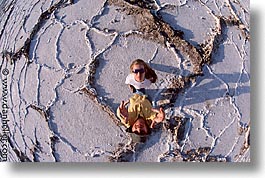
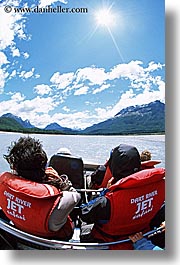
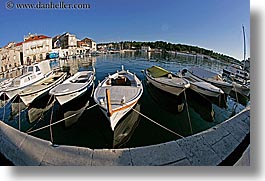
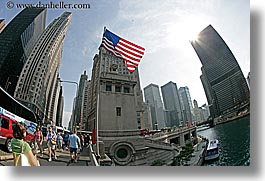
As a specialty lens, I love the fisheye. I use it for everything
from landscapes to people to general grab shooting. But it's important
to keep in mind its inherent properties. It is not a zoom lens, so it
can only shoot its fixed distance. Yes, it bends things out of proportion,
but that's exactly what I want. Fisheye appearance is good for humor, or
to exaggerate something that's already oddly shaped. But, be aware,
it's easy to try to get "too much" into the scene, making it too busy.
Rules of composition apply here more than ever: make sure the picture
is balanced and has a featured subject or theme. Usually, those new
to a fisheye often get pictures that exploit the gimmickry of the lens,
rather than being "creative."
Telephoto lenses are more versatile than most people think. Yes, they
are great for, wildlife and sports, but they can be used for more creative
uses as well, such as close-ups of people, or to get good candid shots of
people in public places. Telephotos usually start anywhere from 80mm
to 100mm, and can go out to 400mm before prices start skyrocketing.
The best range for telephotos is 100-400mm for both practical use and
preservation of optical performance, but prices for those lenses tend
to be on the higher end. Up to 300mm can usually satisfy many people's
need for ultra-close zooming without sending your wallet into space.
The biggest concern about telephoto lenses is, the longer the distance, the
more likely you'll get motion blur from "hand shake." Hand-holding the
camera while shooting long focal ranges makes pictures blurry. There are
three ways to deal with this problem: use a very fast shutter speed
(which requires a very fast film, which isn't desirable), use a tripod
(which may not be practical, especially for moving subjects, or traveling
on foot), or by using "image stabilizing" technology. Also known as "IS",
stabilization employs a gyroscopic element that counter-balances motion,
keeping the lens effectively still. Not only does it help with long
distances, one can hand-hold pictures with shutter speeds down to about
1/8 or slower (with some practice). This is good for grab-shooting and
candid shots on the move. When you calculate that "IS" saves 30-40%
of pictures that would otherwise by ruined by unintended motion blur,
its cost is justified by the amount of quality pictures you get.
Since it's not always practical to spend (or even use) such a big lens,
a fantastic alternative to the long telephoto lenses is to downshift
to a mirror lens. These were popular in the 1970s, but fell out of favor
due to their reduced image quality. Since then, however, glass has
markedly improved, and while you can't improve the physics of how light
travels over mirrors (which is considerably worse in mirror lenses),
their overall benefits make them fun add-ons for any shooter. For
example, a 500mm f/8 mirror lens from Samyang, costs a whopping $114,
and weighs in at only 13oz. This tiny thing can be put into any camera
bag, but be careful when ordering: you have to buy the version of the
lens that's made for your camera body. (There is no "one size fits all"
lens mount.) This is perfect for that wildlife safari, or subjects
involving whales, moose, or children. (Hopefully, not all in the same shot.)
Slightly more expensive is the 600mm f/8 mirror lens from Sigma,
weighing in at 29oz. Costing $350, it's not a bad deal for the length.
(Compare with Canon's 600mm traditional lens that costs $11,000.)
So, what's the catch? Mirror lenses are fixed at f/8, they do not do
autofocus, and the super-long 500mm and 600mm lengths mean that your
camera is going to jiggle like Jell-O on a roller coaster during an
earthquake every time you push the shutter release. You will need to
mount the camera on a tripod, unless it happens to be really bright
outside. You need to have a shutter speed of at least 1/350 sec.,
which is really hard to get when the aperture is fixed at f/8. Any
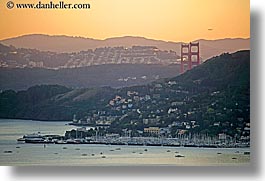
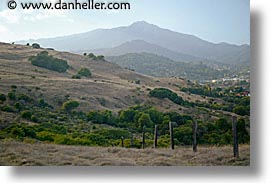
amount of movement will ruin the picture at this length. The photo of
Sausalito and the Golden Gate Bridge shown here required a shutter speed
of 1/250 second, and even then it was blurry when I tried to hand-hold
it. I had to use a tripod.
The final word on lenses is: work up to it. Most people should buy one
lens at a time and get familiar with it before getting the next one.
The "collection" you end up with has to interweave nicely, or you'll
waste time and money, not to mention be burned by too much "stuff" and,
end up failing to get the pictures you really want.
Keeping your lens clean is important, but not something to be obsessed
about. Any cotton fabric works fine—I usually use a t-shirt, and rub
thoroughly on any areas where there may be smudges (usually, peanut butter).
There are special cloths you can buy, but these are a waste of money,
unless you tend to walk around shirtless. Some lenses have a special
film-like glaze over it, which should be protected, but again, if it
gets a finger-print on it, don't sweat it. By all means, don't use
any liquids whatsoever to clean a lens. You can certainly use liquid
solutions marketed for this purpose, but it's not going to be more
effective than rubbing it vigorously with cotton.
It takes a lot of material on the lens glass to interfere with an image.
(This is nowhere near as bad as dust on the sensor, which does show
up conspicuously in images.) My main advice: keep your lens cap on all the
time. When you're about to take a picture, remove the lens cap, keep it
in your hand, and immediately replace it when you're not shooting. Make
this a habit.
 Flash
Flash
The flash is probably the most misused item on a camera, but for
understandable reasons. Because flashes make light, people use it
when the camera says there isn't enough of light in a scene. Therefore,
the flash is used as the main light source. And that's precisely where
the problem lies. Pictures taken this way often results in bursty, flat
pictures, with people's faces washed out, and harsh shadows projected
into walls.
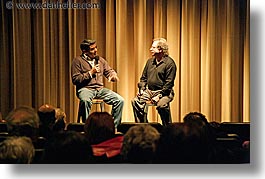
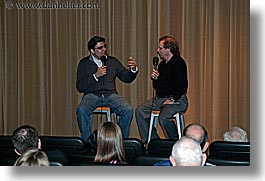
For comparison, consider these two pictures taken of the same stage
scene: one taken with a flash, the other without. The reason for the
flash's poor performance is that flashes have a limited range (about
ten feet) after which it "falls-off" quickly. Objects closer to the
camera get the brunt of the flash burst, whereas the background gets
progressively less light. In other words, the flash's power is took
weak to light a room as well as the natural light does. It'd be like
trying to pull a trailer full of logs with a 1969 VW. The power isn't
there. But without the flash, the room may be too dark. Camera makers know
that people are unhappy with their pictures when the entire room isn't
lit, so they make the default power for flashes overly bright. While
this may help light the room a tiny bit better, the end result is
pretty bad too. In the days of film, people didn't have much of a choice
unless they always used very high-rated ISO film (uncommon and expensive).
So, if the camera can shoot without a flash, then it's best not to use
one. Fortunately, this is more possible today than ever before. But the
camera may not do this automatically. Unlike the days of film, digital
cameras allow you to adjust the camera's ISO setting (which sets the
camera's sensitivity to light) on a shot-by-shot basis. The higher the
ISO, the better the camera can capture existing ambient light. This now
makes it possible to get really good pictures in dim light without using
a flash at all, in most cases, or at least with a minimal amount flash
power in others. Many consumer digital cameras have ISO ratings that only
go up to 800 or so, which may or may not be enough for some indoor shots.
Unfortunately, this isn't something you can test in a store—you actually
have to physically shoot several pictures in dim scenes and go print them
out on photo paper to see whether you find the noise "acceptable." What
you see on the little preview screen will always look good, so don't
trust that.)
You may be wondering: why not set the ISO all the way up all the time?
Well, this comes at a cost: higher ISO settings also increase the
amount of digital noise in the picture, which is similar to film grain.
You won't notice this on the camera's preview screen, but you will
notice it enlarged on your computer screen and any most prints you make.
Some cameras perform better than others in this regard, so take a couple
of test pictures to see whether you like your camera's results. You're
not always going to get professional-looking results from consumer-grade
cameras, but it's your choice on where the dividing line on acceptability
between a shot using a flash, or a natural look with grain.
|
Know Your Camera's Flash
| |
Most cameras have many flash modes, which include red-eye reduction,
and "fill-flash", the latter of which is best here. Also, most cameras
allow you to set the amount of flash power from an over-exposure
setting, to a reduction of power. The less the power, the more opportunity
that natural light of the scene has to balance out the entire picture.
Since most camera's flashes are calibrated to burst a LOT of light,
reduce the flash exposure by a full stop ("-1") to avoid the bursty
"snapshot look."
|
If you're in a low-light situation, and setting the ISO rating still isn't
sufficient (or higher ISOs yield undesirable noise), the next option
is to combine a ISO setting that's acceptable with the use of a flash.
Since the goal is to avoid the bursty punch of the flash, you want to
reduce its power output enough to give the light, but not overly so.
The combination of a reduced flash burst, and a higher ISO rating means
that the combined ambient light and the lower flash burst may provide
satisfactory results.
Ironically, the best time to use a flash is not when it's dark, but when
there's a lot of light. In fact, when there's too much light, such as
midday sunny pictures of people. Here, the flash will light up the deep,
dark shadows under hats or other crevices caused by the over-intense
brightness of the sun. When the sun is that bright, the light exceeds
the camera's dynamic range at the highlights and the shadows, which
is the range of light the sensor is able to see at one time. Your eye
sees detail in the bright areas as well as the dark shadows, but the
camera can't. It's range is limited, so it compromises on what it sees.
In so doing, it usually loses the details on both ends, and captures the
light in the middle of the range. This often means that dark areas fall
to black, and light areas fall to white—no detail at either end.
When you use a flash, it brings up the light on the darker parts of the
picture, thus reducing the range of light between the two end points.
Hence, the cameras captures more detail at both end points, and the
entire picture gets more life.
|
Warm up the Light
| |
Placing a an 81A or 81B filter over the flash "warms" up the bluish hue.
If you don't have a filter or gel, use scotch tape (not masking tape),
colored with a faint brown magic marker.
|
So, why only "people" pictures? Obviously, it's not just about people,
but it's about subjects that are close to the camera, and that's usually
people. Why is proximity important? Because the flash's light has a
limited range, usually about ten feet in front of you. Beyond that, the
power is too weak to have any appreciable effect. (This is called light
falloff.) So, the only shadows you're going to lighten are those falling
on subjects that are close enough to the camera's flash.
When the flash is used in this manner, it is said to be a "fill flash."
That is, it "fills" the dark areas of the picture. In fact, many cameras
have a setting specifically called, "fill flash mode."
(For an in-depth discussion on the various uses of the fill flash, see
Using Fill Flash.)
Unlike film, digital cameras can read and balance light more properly,
on a shot-by-shot basis, compensating when necessary. For indoor use,
most digital cameras counter-balance the reddish hue from incandescent
light bulbs well enough to obviate the need for a flash to perform this
function. This is controlled by the camera's "white balance" setting.
When set to "auto," camera senses whether there is a predominance of a
particular color cast and add a counter-balance hue to compensate.
Most cameras let you change the white balance to settings specifically
designed for various common shots: interiors (just discussed above),
fluorescent lights, daytime, night time, and so on. Normally, the auto
setting will do the same thing, but you can use these specific settings
to force the camera to those values in the event the "automatic" behavior
doesn't yield satisfactory results. If you want to get creative, you can
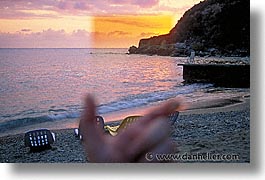
set the white balance to settings to enhance a particular mood. In the
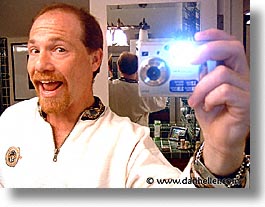
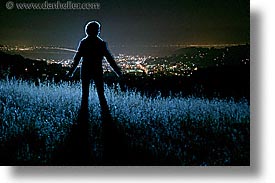
photo shown here, I set my camera's white balance to the indoor setting
(light bulb icon) which shifts the color hue toward blue. I opened the
shutter to begin the exposure, walked behind behind the subject, and
then triggered a hand-held flash unit. I then closed the shutter. The
technique is simple, but it was the white balance that give it the mood.
Even though the above photo was done at night, it wasn't a typical
nite shot, nor was it a typical use of a flash. The effect was just
that: an effect. For more straightforward night photography, one
doesn't use a flash. Instead, the best thing to do is mount the camera
on a tripod and use a long exposure. How long to expose varies from
scene to scene. Just let your camera's light meter do the work as
it usually does when you take a picture. Just be sure your camera
can do exposures up to at least 30 seconds. It's the tripod that does the
magic by keeping the camera still during the exposure. This will give you
the "reality" look you're expecting to see. It's impossible to get this
kind of look with a standard camera and flash burst.
When using a tripod, you no longer need to worry about a flash, nor
should you set your ISO rating higher. The only reason to do that is so
you can hand-hold the camera during the picture. When using a tripod,
you don't need to hand-hold it, and the challenge for getting enough
light is no longer applicable. You can keep the shutter open all you
like (so long as you have a cable release). In fact, keep your ISO
rating low—a setting of 100 is best.
If you're thinking that you can use a tripod to take pictures during
a dinner, you need to think about the fact that no one's going to remain
perfectly still during a 10-30 second exposure. Unless you entertain
zombies on a regular basis, this technique isn't for real-time situations
with groups of non-photographers who don't have the patience for your
clever photo tricks. In such cases, you'll have no choice but to use
some balance of higher ISO ratings and lower flash power, and hope
for the best. As you can imagine, there are going to be many pictures
that cannot be taken, or which require techniques beyond your immediate
control. As long as you understand your limitations, you'll do better
with those conditions you can control.
 Filters
Filters are common with SLR users, whereas it's virtually unheard of to
see a point-n-shoot with a filter. The progression of digital photography
has also reduced the need for many filters now, especially those that
adjust color balance, as was discussed earlier. (See "white balance".)
Probably the most common filters of all are also the most useless.
These include the ever-popular "skylight" filter (which is nothing but
clear glass), which espouses itself as a lens protector; and the "haze"
(or "UV") filter, which is used under the premise that it will reduce the
haze effect in daytime landscape photography. Again, this is a throw-back
from the days of film, where color balance wan't easily controlled.
A haze filter reduces the "blueness" from atmospheric haze using faintly
tinted the glass to a warmer tone. Again, this is automatically compensated
for by digital cameras.
Some people also suggest that the skylight and haze filters will "protect
the glass against scratches," but what you're effectively doing is
placing a very cheap piece of glass in front of expensive glass (your
lens). Worse, when you put on any filter, you're introducing another layer
of glass, which introduces more elements for light to reflect bounce
around inside the lens, causing more lens flare and sporadic glimmers.
As for protecting your lens from "scratches," I've never done that in
all the lenses I've ever owned. I've broken lenses completely in half
many times, but even then, I've never scratched the glass. Lens glass
doesn't scratch easily—it's composition is such that a rather blunt impact
with a particularly abrasive object is necessary. The likelihood is very
small, and not worth the image degradation you get with such filters. If
you're really nervous, us a Circular Polarizer (discussed next), as it
will at least help make the picture look better in most circumstances.
In general, it also helps to develop a habit of keeping a lens cap over
the lens when I'm not shooting. (See section on cleaning your lens.)
Circular Polarizer
On the other end of the "useful" spectrum is the circular polarizer,
which is the most useful filter of all. Yet, it also takes the prize for
being the most misunderstood filter. What people are familiar with is how
polarizers make skies bluer, but the reason why it works is what makes
it such a great filter for many other uses as well. What polarizers do is
block light that reflects off things. This bounced light is "polarized"
(so named because it bounces in exactly the opposite direction as the
direction it came from). In the process, light goes from a randomly
erratic pattern to a very precise pattern, and it is this pattern that
polarizers filter out. Reflected light includes glare, reflections,
highlights, and so on. This effect is found in more than just "window"
reflections, but all kinds, including shiny reflective objects that you
can see on just about any surface: skin, fruit, wood, fabrics.
And here's where the real benefit comes in for reducing reflected light.
When you have photons bouncing all around, it dilutes the effect of
other light. When you remove this unwanted light, what ultimately hits
your lens is a higher concentration of the actual colors that you want.
Leaves appear greener, roses are redder, and yes, you guessed it, the
sky is much bluer. In effect, you get a much richer color palette.
Granted, this isn't going to jump out at you in every case, but many
pictures often do better with a polarizer than without one.
Understanding how and why a polarizer works will help you make better use
of it. Polarizers filter out light in 90-degree angles from the orientation
of the filter, and because it's circular, you can rotate the glass to
block out the (polarized) light you want. As you rotate the filter on
the lens, look through the viewfinder and see how your scene changes.
Reflections on the surface of trees' leaves come and go, a pond or lake
can appear darker (greener or bluer), as you remove the reflections
from the sky, the sparkle of snow can be eliminated or enhanced, and the
"blueness" of the sky can be punched up, or taken down. As you can see,
you can both add and reduce the contrast of a photo, depending on how
you orient the polarizer on the lens. While you "can" get more shadow
detail in some pictures by filtering out polarized light, don't expect
the kind of results you would get using a fill flash.
The one caveat to polarizers is that they reduce the amount of light to
the camera by 1-½ stops, which means that your exposure time will
be longer. You don't have to do anything about this—it'll be automated
by your camera—but the point is that you may not have enough light in
darker conditions to hand-hold a picture if you're using a polarizer.
It's easiest to use them in mid-day bright sun, where its effects are more
dramatic, and use them at night with a tripod. (I often use a polarizer
when doing night photography in city streets to avoid the shimmer of
lights off of the streets.) As you gain experience and develop your eye
to see the subtler effects on lower contrast pictures, you'll see that
it really helps in rain, overcast skies, and other atmospheric conditions
that diffuse the natural light your eye sees.
Split ND Filters
Many of those spectacular scenic pictures you see in postcards or in
photography books like this one, were probably taken using a "split
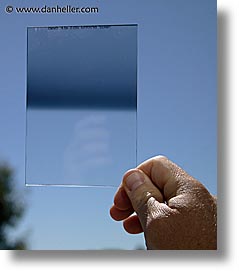
neutral density filter." Also called a "Split ND," this filter has a
neutral tonality (doesn't change color) that graduates from a darkened
part of the glass to clear, so you can control scenes with oppositely
graduated ranges of bright to dark. A common example is a sunset, or
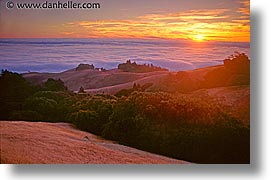
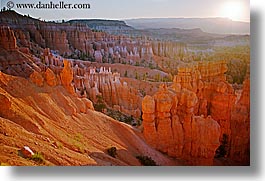
a shadowy foreground say under a tree. The photo here illustrates this:
the plant in the foreground would never come out if the darker part of
the bright sunrise wasn't "filtered" out to leave a more balanced image.
Split NDs come in square or circular formats, and also vary in their
"density" (that is, how much light they filter out). But the circular
split ND filters are virtually useless because the "split" is always in
the middle of the filter, and you can't move it up or down. The middle
is rarely where the light graduates from light to dark, leaving it fairly
useless. Therefore, only the square version (the "Cokin 'P'" size) is useful.
Split ND filters are rated by the number of "stops" of light they
filter. I happen to own a 2-stop and a 3-stop filter to accommodate
everything from a mild sunrise (where I might only use just the 2-stop
filter), to a more dramatic scene where I would sandwich them together
to block 5-stops of light. (The photo of the sunrise uses both.)
Graduated Sunset Filters
Graduated filters like the split ND don't have to be color-neutral.
You can get colors as well, including variations of "sunset" qualities,
as shown here. When choosing colored filters in a graduated format,
understand that slight colors have dramatic effects on the final
image. Sunset filters can assist in reproducing the original colors of
the sky that you see, but cannot be captured by film or digital sensor
because the light ranges exceed the capabilities of the media.
Lastly, it should be noted that some pictures just don't take well
to split NDs or sunset filters, simply because the complexity of the
colors and the lack of a clear, delineated line between brights and
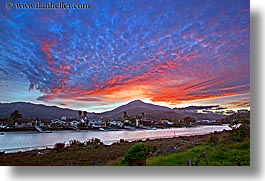
shadows. The sunset photos show here illustrate this. The best way to
get these kinds of pictures is by using a double-exposure technique,
where you take two pictures of exactly the same scene using two
exposures: one is metered on the highlights (the sunset), and the
other is metered on the shadows. Each picture will have its part of
the scene exposed properly, but then you sandwich them together to
make for a final image that takes the best part of both images, and
creates a new one. Photoshop has a feature called "HDR" (Hight Dynamic
Range) that does this automatically. The only thing you need to do is
pre-calculate the exposure values for each picture, and have the camera on
a tripod to make sure the camera doesn't move between frames. (The alignment
of the two pictures is critical.) This technique isn't hard, but it's
beyond the scope of this book to discuss further.
How filters work requires a better understanding of how cameras respond
to light. To read more about this, see Techniques on Metering Light with your Camera.
 Tripods and Camera Bags
For those who truly have photography as a passion, tripods and camera
bags are two of the most purchased items that serious photographers go
through in their lifetimes. No other camera product falls victim to this
more than bags and tripods, mostly because people perceive them as side
accessories, when in fact, they turn out to be more important than they
appear they should be. Consequently, those accumulated purchases usually
total more than all your other camera equipment put together. Granted,
if you carry minimal photo gear, or if you travel only occasionally,
you may be spared the severity of this expense. But, those who've been
bitten by the photo bug, often end up with countless unused camera bags
and tripods that they've had to replace with what they should have gotten in
the first place. The best way to avoid this is to believe the following
two truisms:
 Lower-priced items are vastly inferior to higher-priced items.
It's because the observable differences between less and more expensive
items are so minimal, it's hard to believe the quality justifies the
price difference. Hence, you will buy the less-expensive items versions
first, only to become increasingly frustrated until you capitulate and
lay out the big bucks for the better products later.
 No single product actually meets all your needs.
Because no one camera bag or tripod is suitable for all uses, you're going
to go through Step 1 many times for each type of camera bag and tripod,
abandoning each of your previous purchases to your garage or attic, or as
gifts to distant relatives.
Now, it's not like the less-expensive products are "cheap." They're
usually fine, but have limitations that the more expensive items don't
have. Emerging photographers think they need to "grow into" these products,
so they buy low first, thinking they'll upgrade later. And this is when the
accumulated cache of unused products begins. When you've repeated this
cycle several times, you're writing articles like this. Yes, I read a
very similar article when I was getting started, and I couldn't believe
it either, but sure enough, my in-laws were soon receiving tripods
for Christmas.
Now, I'm not suggesting you start with the top-of-line products.
Quite the contrary. if it were as easy as simply pointing to a finite
set of selected bags and tripods, then I'd do so now and be done with it.
The problem is, everyone is not the same size, has the same strength,
shoots the same subjects, or carries the same equipment. Darn. Making
matters worse, each season, all manufacturers come out with new lines of
products to replace last season's line-up, in anticipation of the next
round of remorseful buyers. The solution to this problem starts with a
recognition that no one product will be enough—you need to pick a bag
that serves some of your camera-carrying needs, knowing that you'll
later have to get another bag that serves other needs. The moment you
attempt to find a bag that serves all your needs, that's when mistakes
are made. (Oh yes—same for tripods.)
There are two ways to carry gear in travel photography. You are either
in transport mode, or in active shooting mode. Unless you're using
a point-n-shoot, or an SLR with no extra lenses or anything else,
you're most likely going to need at least two separate camera bags.
There are three basic camera bag designs to serve these needs: backpacks,
hip bags/slings, and fanny packs.
Ok, there's one more, but it's not a bag: it's the "photo vest" or
"jacket," with tons of pockets. I have one and I like it under some
conditions, but it's never better than other options, so I never use
it anymore. The worst part about the photo vest is that it adds too much
warmth. Any weather warm enough for snow to melt is, for me, too warm
for a photo vest. Lighter-weight vests may be better temperature-wise,
but are too flimsy for heavier camera equipment (namely, lenses). So,
I don't use vests.
Anyway, back we go to the camera bags. Each type is invaluable in
various situations, but what you really need to look for are those that
have the durability and ruggedness for larger, heavier equipment as you
advance in skill and experience (because you'll buy more—and therefore,
heavier—gear). By consequence, you may feel like you're buying a more
expensive bag that you don't yet need, but this is an illusion. You do
need it. (See how this game goes now?) The devil is in the details,
though; it's easy to overdo it, and buy far more than what you need,
so we need to examine this further.
Let's start by choosing a camera bag strictly for transport purposes.
That is, you're going on a plane, and you need to get your stuff from
one country to the next. Of course, you need to see if your stuff fits,
which is why some people actually bring their entire cadre of equipment
into the photo store to see which bags can actually carry everything
they have. Bags used for transport tend to be far more expensive than
those for more practical day-to-day shooting needs, where you carry around
your equipment as you shoot. (Rarely do you ever carry everything you
own on any one shooting foray.)
It's true that you need a good camera bag to transport all your equipment,
but this is why "one bag" will never serve as your "only bag." But, it's
also easy to over-purchase by getting a bag designed for transport of
everything you own, when you rarely need all that for any given trip.
If you have an appreciable amount of equipment, expect to get one kind
of bag for transport, that's high-end, but not so big that you topple over
whenever you lean to one side or another.
Here, you need to look for one important feature: protection. You needn't
actually get to your equipment as much as you need to protect it from
being banged around in the overhead bin in the airplane, or on a train,
or in the trunk of a taxi. Where access becomes important is when
you're looking at bags you use while you're actually shooting. And here,
protection is a comparatively less-important objective. Access is now
king. So again, it's easy to over-purchase if you're getting something
with tons of protection that you simply don't need. So, put yourself in
a real-life shooting scenario where you don't necessarily want to pack
your equipment, you want to get at it. If you can't use the bag easily
and effectively in real-life situations, it's not the bag for you. With
that intro, let's examine the different bag types.
The backpack
Backpacks come in various sizes from the smallest "intro" bags to the
"super-trekker" that can hold a small camera store. Backpacks are best
for transporting equipment, and given what we just went over, you won't
need the "biggest" bag, because you're unlikely to need to carry everything.
And you won't need the smallest bag, because that'll be a size reserved
for active shooting. This leaves us in the middle ground: a mid-sized
bag with lots of good padding.
If you're a casual shooter, with a modest to small equipment list, it's
certainly possible that a lightweight backpack can serve both purposes.
But, this exception is really for the non-serious shooter, just to save money
and minimize the amount of equipment you own. Backpacks are really not
the best type for active shooting, because "access" to your equipment
is the most difficult of all bag types. Active shooting often requires
access to lenses and such while standing up and/or walking, and having
stuff on your back where you can't get at it makes things hard. Sure, you
can set a backpack on the ground next to you, but that presents all sorts
of problems for many conditions, like shooting in the streets, or being
in conditions where the ground isn't stable or has other debris that I'd
rather not mention. Still, there are some good backpack designs, but if
you have to use one while shooting, access becomes important again.
If you're going to get a backpack used for both access and transport,
a design characteristic you want to avoid is the "front-loading" model,
which is where you open the backpack on its "front side" rather than through
the top. Here, to get access to equipment, you have to lay the backpack
on its back and open up the front. The intent is to allow access to as
much stuff as possible at one time. However, the problem is that the
back side is what rests on the ground, and we just covered that problem.
It's the same side that rests on your back while you're carrying it, so
whatever sticks to it from the ground, will now be attached to your back.
This isn't a problem for studio photographers, who can leave their
backpacks on a clean floor. But for travel photography, this design
doesn't work so well.
Therefore, I like top-loading backpacks for combo transport/shooting,
especially those with reinforced bottoms that can sit firmly on the
ground. Because most people buy backpacks for transport only, few camera
bag makers use this design anymore, with Tamrac being one of the last
hold-outs.
The side or "hip" bag, and the "sling".
The hip bag was designed precisely to compensate for the main drawback
of the backpack. This design goes over the shoulder and slings to your
side, and are almost all universally top-loading. (It can also sling
in front or behind you.) Sling bags have a large main compartment for
access to lenses and such, clearly designed for the active shooter
rather than transport. It's true you can use these for transport, but
its placement around your body means that its balance isn't optimal,
and its physical bulkiness makes it harder to carry other things at the
same time. Therefore, it may be worthwhile to have a smaller sling bag
packed in luggage, where you don't actually use it till you're actively
shooting. In the meantime, haul your equipment in a backpack. Now you
see why you may need two different camera bags.
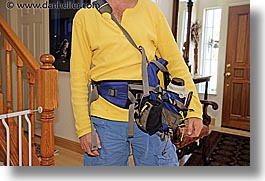
The Fanny Pack
A third options is the "fanny pack," so-named because it was originally
designed to go around the waist; the "storage" compartment sits on
your behind (a.k.a., your "butt"). In American English, this is your
"fanny." In British English, however, the definition is quite different,
so the industry is trying to move to the term, "hip bag," but that's
already being taken by the "sling" bag. I'm sure they work it out someday,
but we can move forward.
Fanny pack designs are very convenient in how they allow you to "carry
just what you need, when you need it." The best of this group are those
whose designs include a strap over the shoulder, which makes them more
similar to sling bags. This is great for better weight distribution,
but it works only so long as you don't over pack the bag with everything
you own. It's easy to over-stuff fanny packs, causing them to droop and put
pressure in places that you won't want it. (This is especially annoying
for small-bladder-ed people, or those who like very large belt buckles.)
For me, the best configuration is a hybrid between a fanny pack (for great
access and weight distribution) and a sling bag, which carries much more
easily, and a backpack. I have never found such a bag from a camera-bag
manufacturer, but I did find several options at the outdoor adventure
store, REI. Trekkers often have the same carrying needs of photographers,
so the item I chose was a combo of all three: a regular backpack that
can be configured to be worn as a "sling" (over one shoulder and around
the front), that also had the waist support of a fanny pack. It also had
modular compartments that can make it "more" of each of these as well. I
place my short lenses where the water bottles go, the long telephoto lens
in the main compartment, the filters and extra batteries and CF cards
in one of the side zipper pockets and miscellaneous stuff goes in the
various add-on pockets that come with it. Best of all, the whole thing
cost $75, significantly less than what the camera-bag makers charge for
something far less useful.
Practicing what I preach, I don't use the fanny pack for transport; that
I leave to my top-loading Tamrac backpack, since it has the ruggedness
and protection necessary for airports, cities, and other non-shooting
(transport) conditions.
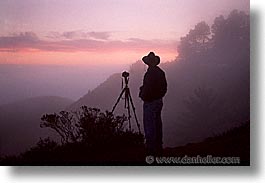
Tripods are the awful, but necessary evil of travel photography. It's
a shame because you are already carrying too much, and adding such a
heavy, bulky object isn't fun. For this reason, many tourists simply
bypass the tripod completely. Worse, many just buy inferior products
and suffer the worst of both worlds: they can't shoot easily under many
circumstances because of a bad tripod, but they still carry it around
with them everywhere they go because it's moderately useful when you
abosolutely need it. This is why it's so critical to choose wisely.
First, let me get this out of the way: monopods are not tripods.
Monopods are are fine for offloading heavy lenses (like sports
photographers use), or if you're standing only in one place, shooting
the same thing at shutter speeds that don't require being absolutely
still (ie., you have Image Stabilization in your lenses or camera). But,
don't assume you can use a monopod as a tripod. If it weren't for the
fact that I see so many people using monopods as if they were tripods
(usually with remorse), I wouldn't have to warn you about it here.
In short, you need to have a bona fide tripod. The best tripods
cost far more than you think they should, because you will eventually
learn that carbon fiber has the strength and durability to not "jiggle,"
plus they're light for easier transport. These alone make the higher
price worth every penny.
The next important aspect to tripods besides weight and bulk is time to
set up. That is, how long does it take to extend the legs, lock them
into place, make minor adjustments, and then pack up after your shot?
You may think this is like complaining about the extra 15 seconds it
takes to wait for those annoying voice mail prompts you hear when you
call someone's cell phone. When all you want to do is just get to the darn
"beep" so you can leave the message, you get to a point where you just
want to yell, "come on already!" Yes, dealing with tripod setup and
tear down is one of those things that really gets annoying the more
you do it. Before you know it, you're sick and tired of having to
go through what should be a very straightforward process of moving
around.
There are two major leg-extension designs: the twist lock, and the key
lock. The "twist" type works by turning the tube to lock the leg into place,
which can have various levels of tightness. The problem with this model
is that it gets increasingly annoying to do this task for each leg,
every time you want to use it. It's also easy to get wrong.
if it's not "tight enough," it'll start drifting downward as your
long exposure shot gets ruined. Also, when it's cold or rainy, you
really don't want to deal with twisting cold metal. This means that
the "key" mechanism is your choice for leg-extension design, which is
just a latch that takes only a single quarter-turn and you feel the leg
locking into place. It's a single switch, not a "level of tightness."
One more thing to consider: if you're going to a cold climate, you might
consider buying Styrofoam pipe covering, normally used to cover water
pipes outside to keep the water from freezing. You can get this stuff
at any hardware store. Just get a short piece, cut it into sections as
wide as your hand, and then duct-tape it to the part of the tripod legs
where you carry it. Gloves or not, you'll actually survive cold-weather
photography.
Tripod Heads
Just because you buy a tripod, doesn't mean you get the head that goes
on top to attach to your camera. The cheap tripods have these, but
the bigger ones don't. That'll be another chunk of change, but again,
it's a one-time expense that's well-worth the added investment to get
the right thing. There are two major designs: the three-way panhead,
and the ball head. The panhead design involves three different levers,
each moving the camera in a different direction. The idea is that you
can pan left or right, and up or down, completely independently of each
other. For a few rare cases, such as architectural photography, this is
nice. For every other use, it's a lot of work to point the camera where
you want. Also, it's bulkier than you need, and it adds a lot of weight
to your gear. There's a reason these are much less expensive than the
ball head design. By contrast, the ball head lets you move the camera
in any direction just by pointing it and using a tightening mechanism,
which can be one of a button, trigger, knob, or lever. Either of these
are equally intuitive. Ball heads are lighter, easier, less bulky, and
(you guessed it) more expensive. The smaller and lighter you get, the
costlier they get. Sort of like cell phones.
Again, the major consideration is weight, just like with the tripod
itself. So, again, carbon fiber is the best bet here. One thing to
note, though, is that, unlike with the tripod, the weight of your
camera equipment governs the size of what head you use. If you've
got a huge 10lb. lens, then you've got other issues to concern
yourself with.
Smaller Alternatives
Just like camera bags, it's often the case that one item doesn't satisfy
all needs. Fortunately, secondary tripods are not nearly as expensive. I
always carry a tiny table-top tripod in my camera bag, just in case I need
one, but don't have my main one around. These are great for using inside
buildings or on street corners, where you don't have the room, or aren't
allowed to use them. A table-top tripod can be hand-held against a wall,
on a table, or even on the floor (with you down there too). These aren't
really capable of long exposures (many minutes), but they're perfect
for pictures that you can't hand-hold because it's too dark. (And remember,
flash-free photos generally look better, so the tripod can mean the
difference between a great photo and a so-so photo.)
 Other Items
With all this camera equipment, you'd think your bag is full already.
Well, we're almost there. A few more things to consider, and fortunately,
they're all small.
Memory Cards
When you take pictures, the camera stores the digital data on a
media card. There are many types to choose from, and while only some
high-end cameras support multiple types at the same time, your camera will
probably support either an SD (secure digital) or CF (compact flash) card.
The differences are largely unimportant in the grand scheme of things,
and you shouldn't make a buying decision on a camera based only on this.
(If such details are important to you, you need a depth of information
well beyond the scope of this book.) To give you a hint about the differences
is that the speed in which data can be read and written to and from
the card is greater with the CF card than the SD card. This affects
the speed in which your camera can shoot, and the speed in which you
download the images from the card later. But, the camera manufacturers
know this, and design the camera to use the type of card that is most
appropriate for it. It's unlikely your camera will exceed the read/write
capabilities of today's media cards. There are other card types, too,
but these are the two most common ones, and besides, the prices between
them don't vary much.
Speaking of price, my rule of thumb for this type of product is to buy
whatever $50 will get you. That always seems to be the breaking
point between the high-end and low-end products. At the time of this
writing, $50 buys a 2G (two gigabytes) media card (of any type). Last
year, $50 could get a 1G card, and the year before that, it was 256M
(¼ of a gigabyte). By the time you read this, chances are that
you'll be getting 4G cards for $50. Whether you should get a higher
capacity card is dependent on how much you tend to shoot, how long you
plan on being away, and how many megapixels your camera is.
Megapixels translates to the size of the file for the image, but this
is not an exact mesaurement. Not every picture translates to the same
size file, because file data doesn't correlate directly to pixel data.
Factors like ISO setting can make file sizes bigger, and other user
configurable parameters can change this value dramatically as well.
Still, we can roughly guess that an 8-megapixel camera will create files
that average in size from four to six megabytes. So, a 2G card will hold
roughly 300-400 pictures under typical shooting conditions. If you are
used to thinking in terms of rolls of film, that's anywhere from 8 to
12 rolls. When you used to bring your film camera on vacation, how many
rolls did you go through? think of that number, but then also consider
that with digital cameras, you can preview and delete photos as well.
The next thing to know is your shooting habits. If you're likely to shoot
50-100 photos a day, you could get a 2G card and a 4G card, which may
last about two weeks. For the $150, that's not bad. However, if you
think you're going to shoot more than that, or you're going to be gone
longer, it may be more cost-effective to get an external storage device
rather than multiple media cards.
External Storage
The capacity of these devices usually start around 20G, and prices start
around the price of a low-end iPod (currently $200). Yes, for $50 more,
you've upgraded from 6G in memory cards, to 20G of external storage.
There's a reason for this trade-off, which we'll get into shortly. First,
a little primer on storing data.
There are two ways you can store images from your media card. You can
put them on your PC, or (if you don't want to lug it around), or you can
buy an external storage device. Personally, I shoot anywhere from
300-400 shots a day, so my routine involves shooting with a 4G card on
my camera, and downloading images every night to a storage device.
The one I use can read my media card, and write it onto a hard drive
inside it. (The reason I don't mention the brand is that the last
time I mentioned what I used, it was obsolete by the time the book came
out, and I had already changed to a new device.) Whatever external
storage device you get, it'll have a hard drive no different than the
kind you have in a computer. The fact that it's a combo unit that also
reads the media card makes it simple, convenient, and small (compared
to the alternative, which is to carry around a PC.)
As noted earlier, it's no accident that the price of an external storage
device starts at just about the same price as where it's no longer
cost-effective to use multiple media cards. But, let's examine that
option of bringing your PC along on holiday (hardly unusual these days).
It already has a hard drive, so all you need to do is read the card and
store it on your PC. Lo and behold, you can buy a simple media card reader
that has no storage capacity—it just plugs directly into your PC. These
typically cost anywhere from $15 and up, depending on the number of
different card types it can read.
If you're paranoid (as I am) about losing your images, you can bring
both a PC, and an external hard drive, and back up the images from
one to the other, just in case something happens. And you know Murphey's Law.
Cable Release
If you ever do long exposures, you need to have a cable release. Each
camera manufacturer has their own proprietary kind, so your options are
limited. Just be sure to have one, as you'll need it if you want to do
exposures over 30 seconds. (Only a few camera models will do shutter
releases longer than 30 seconds without a cable release.) Some advanced
models come with programmable settings that allow you to control the
exact length of time you want an exposure to last.
Miscellaneous Stuff
It's also good to have a tiny flashlight, a padded tri-fold pouch that has
the basic filter set (polarizer, and ranges of graduated ND filters),
a hot-shoe mounted bubble level (used with the tripod to make sure the
camera is level), snacks, some pens (I can't believe how much I actually
need those, often for non-photography-related stuff), and the camera
manual. (Oh yes—bring that manual!)
Anyway, all that goes in your backpack or whatever you're using
to transport. Last word of advice about packing: determine the places
where things go and leave them there, even when you're at home. Never
remove items from your pack unless you're using them, and this is for one
main reason: there are so many things to remember that you simply can't
expect to think of them every time and pack them up. You will invariably
forget to pack something, especially those important-but-rarely-used
items, and you'll curse yourself for having forgotten. So, the best
thing to do is populate your camera bag once, and never take things out,
except when you use them. When you're done with something, put it back
in the same place. You'll get so used to things being in the same place
every time, you'll love (and depend on) how quickly you can go directly to
the item you're looking for. What makes photography fun is not having
to deal with the things that go wrong, and disorganization is the
primary reason why they do. If you can have your equipment in a state
of readiness that allows you to leave on a moment's notice and shoot
most any kind of situation, you'll never suffer from that frustration
that plagues even the pros.
Click to recommend this page:
|
|